- 🆔 Your CUI (13 digits, on your DPI)
- 📋 Your full name as it appears on the DPI
- 📧 Email or phone if portal asks for verification
Looking up your CUI/NIT? This page covers the CUI NIT lookup flow at SAT — verifying that your existing DPI is linked to your tax ID. Need to register for a NIT for the first time? See How to Get a NIT (Guatemala Tax ID) instead — that page covers the registration process for new taxpayers and foreigners.
The CUI (Codigo Unico de Identificacion) and NIT (Numero de Identificacion Tributaria) are two of the most important identification numbers in Guatemala. Since March 2025, the SAT unified them for Guatemalan citizens — but many people still don’t understand the relationship or how to verify their link.
Quick summary: Your CUI is the 13-digit number on your DPI. Your NIT is your tax ID from SAT. Since 2025, they’re automatically linked for Guatemalans. Verify yours free at portal.sat.gob.gt.
CUI vs NIT: What’s the Difference?
| Feature | CUI | NIT |
|---|---|---|
| Full name | Codigo Unico de Identificacion | Numero de Identificacion Tributaria |
| Issued by | RENAP (on your DPI) | SAT |
| Digits | 13 | 8-9 (or 13 if unified) |
| Purpose | General identification | Tax and financial transactions |
| Who has one | Guatemalans, and foreign residents registered at RENAP as extranjeros domiciliados | Anyone registered in SAT’s RTU |
| Format | XXXX XXXXX XXXX | XXXXXXX-X |
| Cost | Included with DPI (Q100) | Free |
The 2025 Unification (Resolution SAT-DSI-393-2025)
Since March 2025, the SAT automatically linked the CUI with the NIT for all Guatemalan citizens. This means:
- Your 13-digit DPI number now works as your NIT for all tax purposes
- You still have to register in the RTU if you never did: SAT still takes NIT requests (RTU Digital, with an appointment to conclude). Since October 2023, a new individual registrant is assigned a NIT equal to their CUI (SAT, quoted by Prensa Libre on 3 April 2025)
- Old NIT numbers (8-9 digits) still work — they’re linked to your CUI in SAT’s system
- Foreigners without a DPI are not affected — they register with their passport
How to Look Up Your CUI-NIT Link
Step 1: Find Your CUI
Your CUI is printed on the front of your DPI card, below your photo. It’s a 13-digit number in this format:
XXXX XXXXX XXXX
Step 2: Verify at SAT Portal
- Go to portal.sat.gob.gt/portal/consulta-cui-nit/
- Enter your 13-digit CUI (without spaces or dashes)
- Click “Consultar”
- View your result — the system shows your linked NIT, registered name, and tax status
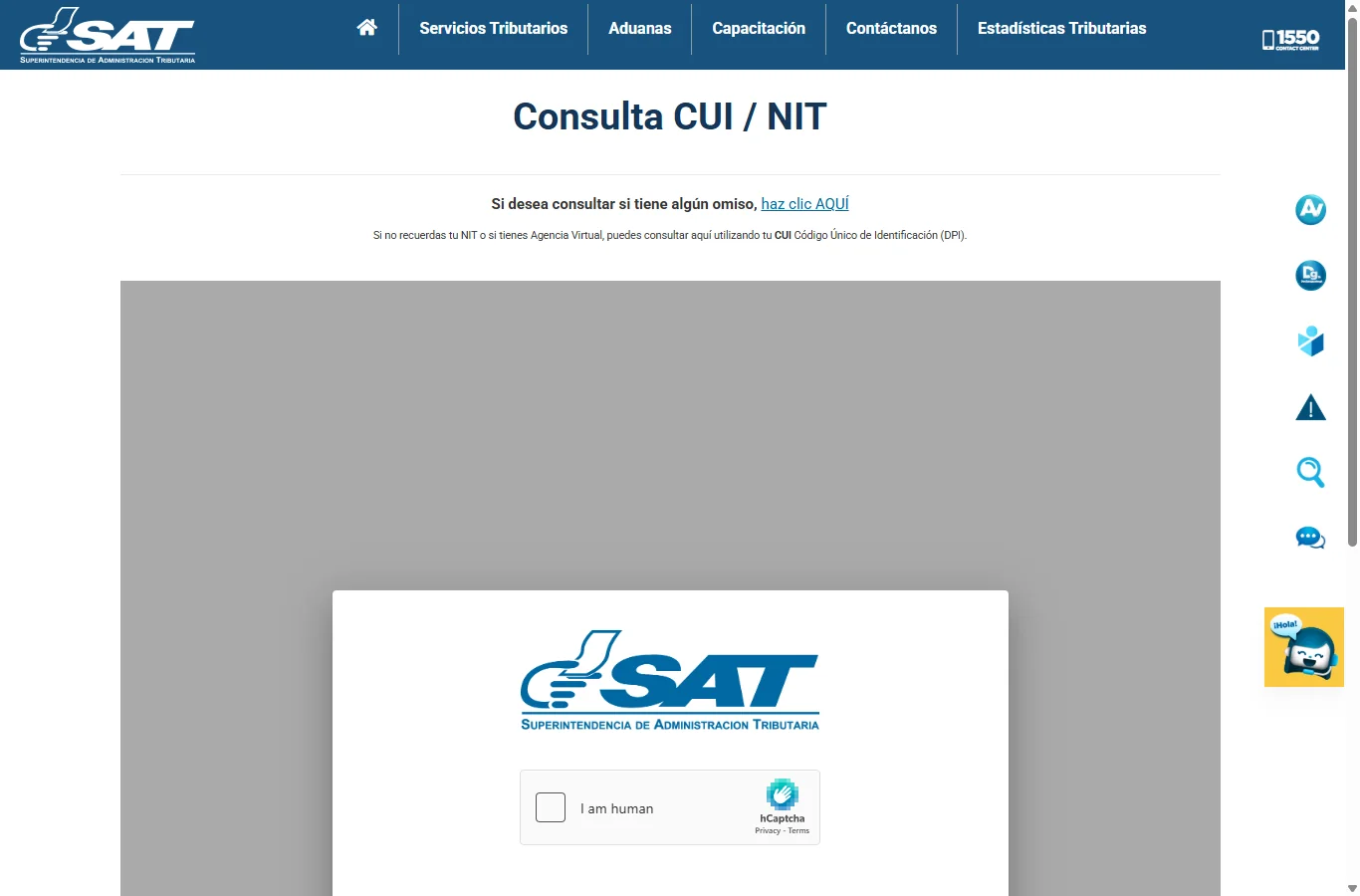
Step 2 — the SAT Consulta CUI/NIT public form. No login required; just complete the hCaptcha and enter your 13-digit CUI.
Step 3: What to Do If It Doesn’t Work
- “No record found”: Your CUI may not be linked yet. Visit any SAT office with your DPI to activate the link
- Name mismatch: If your DPI name doesn’t match SAT records, you’ll need to update at SAT with your original DPI
- Old NIT format: If you had an older 8-9 digit NIT, it should still appear linked. If not, visit SAT to merge the records
When You Need the CUI
- Opening a bank account (your CUI/DPI is now sufficient)
- Signing contracts or legal documents
- Any official identification purpose
- Filing taxes (CUI now accepted as NIT)
When You Need the NIT Specifically
- Registering a business (the business NIT is separate from your personal one)
- Issuing electronic invoices (facturas electronicas/FEL)
- Importing goods — customs requires a NIT
- Government procurement and contracts
- Filing IVA or ISR declarations
For Foreigners
A foreign resident who already holds a RENAP DPI as an extranjero domiciliado has a CUI. A foreigner without a DPI does not. In that case:
- You register in SAT’s RTU with your valid passport
- The request is filed online, but a request with nationality “extranjero” is concluded in person at a SAT office or agency
- See our complete guide: How to Get a NIT as a Foreigner
- You’ll need: valid passport and proof of address (an electricity, water, landline or home-internet bill no more than three months old, an IUSI receipt, or a municipal certificate of address). SAT does not ask for a lease (SAT NIT registration requirements, checked 24 September 2026)
From the US (Diaspora Info)
If you’re a Guatemalan citizen living in the United States:
- Your CUI already works as your NIT — verify online at portal.sat.gob.gt/portal/consulta-cui-nit/
- You do not need to visit Guatemala to check your CUI-NIT link
- If you need to activate or fix the link, authorize someone via poder especial notarized at a Guatemalan consulate
- Your CUI number is on the DPI you got at a consulate or RENAP office
Common Questions
“My old NIT was 7 digits. Is it still valid?”
Yes. Old NIT numbers remain active and are linked to your CUI in SAT’s database. Both numbers work for tax purposes.
“I lost my DPI. How do I find my CUI?”
Request a DPI replacement at RENAP. In the meantime, you can check your old NIT at a SAT office with alternative identification.
“Can I use my CUI for Declaraguate?”
Yes. The Declaraguate portal now accepts both CUI and NIT formats.
“Do businesses have a CUI?”
No. Businesses only have a NIT. The CUI-NIT unification applies only to individual Guatemalan citizens.
Edge Cases & Special Situations
Details
Children receive a CUI when their birth is registered at RENAP, even before they get a DPI (which requires being 18). The CUI appears on the birth certificate. However, minors do not automatically have a NIT. If a minor needs a NIT (for inheritance, property ownership, or other tax-related reasons), a parent or legal guardian can request one at SAT using the child’s birth certificate.
Details
A deceased person’s NIT is not automatically canceled. The heirs or executor must notify SAT and request the NIT’s cancellation (or transfer of obligations) as part of the estate settlement process. Until canceled, the NIT may continue to accrue tax obligations. Submit the death certificate and inheritance documents to SAT to close the account.
Details
This can happen if you obtained a NIT years ago and a new one was automatically created during the CUI-NIT unification. Contact SAT (call 1550 or visit any SAT office) to merge the records. Bring your DPI and any documentation of the old NIT. SAT will designate one as the active NIT and cancel the duplicate.
Tips
- The CUI-NIT lookup at portal.sat.gob.gt is available 24/7 and completely free
- Keep a digital copy of your DPI (both sides) for any SAT procedures
- If you get a new DPI (replacement or renewal), the CUI stays the same
- For vehicle registration, your CUI works as your NIT
- Banks now accept your DPI number directly — no separate NIT card needed
- Call the SAT information line 1550 for questions about your CUI-NIT link
Common Errors and Solutions
If the SAT CUI/NIT lookup page does not work as expected, these are the most common issues and how to resolve them:
The “I am human” captcha will not load or pass
The SAT portal uses hCaptcha (not Google reCAPTCHA). Ad blockers like uBlock Origin, AdGuard, and Brave Shields frequently block it. Fix: disable your ad blocker for portal.sat.gob.gt only, or use a different browser (Chrome and Edge both work with the captcha disabled in the extension settings). Incognito/private mode also bypasses most blockers.
“No record found” / your CUI does not return a NIT
Most likely cause: that CUI has never been registered in SAT’s RTU, so there is no NIT to return. Registering is a separate step: request a NIT through RTU Digital (or at a SAT office). Second cause: typing the CUI with spaces or dashes — try entering the 13 digits with no spaces and no dashes.
Your name in the result does not match your DPI exactly
This happens when SAT records were imported from an older system that dropped accents, used uppercase, or reversed first/last name order. The lookup still works, but banks and notaries will flag the mismatch. Fix: at any SAT office, request “actualizacion de datos del contribuyente” with your current DPI in hand — it is free and takes about 30 minutes at the window.
The portal returns “El sistema no esta disponible” or a blank page
SAT runs scheduled maintenance most Sundays from 12am-6am Guatemala time. If you see a blank page or “503 Service Unavailable” during business hours, try: (1) clear browser cache, (2) try a different browser, (3) if it persists for more than an hour during business hours, call 1550 — they typically confirm outages in real time.
Two NITs come up for the same person (duplicate records)
This can happen if you registered a NIT years ago and a new one was automatically created during the 2025 CUI-NIT unification. Call SAT at 1550 or visit any SAT office with your DPI and any documentation of the older NIT. SAT will designate one as the active NIT and cancel the duplicate. Until merged, prefer the 13-digit (DPI-based) NIT on any new filings.
From abroad: the SAT page does not load at all
The SAT site is occasionally rate-limited from non-Guatemala IP ranges, especially during peak hours. Fix: try again at off-peak hours (4-7 AM or 10 PM Guatemala time), or have a family member in Guatemala run the lookup and screenshot the result.
Affiliate links — we earn a small commission if you buy, at no extra cost to you. We only recommend services we'd suggest to our own family.