
Guatemala’s internet has quietly become one of Central America’s best — if you know where to look.
I grew up here watching the infrastructure transform. Ten years ago, getting 10 Mbps in Guatemala City felt like a luxury. Today, I’m pulling 200 Mbps fiber at my desk in Zona 10 for about $33 a month. Starlink dishes are popping up on rooftops around Lake Atitlan. Coworking spaces in Antigua regularly hit 80+ Mbps. The situation has changed dramatically, and most online guides haven’t caught up.
But Guatemala’s internet isn’t uniform. The gap between fiber in the capital and a mobile hotspot in rural Huehuetenango is enormous. If you’re a remote worker planning a move, or a digital nomad choosing between Antigua and Panajachel, your internet quality can swing from “better than most US cities” to “unusable for video calls” depending on where exactly you land.
I work remotely in tech from the Antigua area, and I’ve tested every ISP option available here. I have solar panels on my roof and a setup built for reliability – when your income depends on a stable connection, you learn which providers actually deliver on their speed promises. Everything in this guide comes from daily experience, not a speed test I ran once at a cafe.
This guide covers every major provider, real pricing in quetzales and dollars, coverage by region, and the practical setup advice you won’t find on ISP websites. All prices are current as of early 2026, using an exchange rate of Q7.75 = $1 USD.
TL;DR: Fiber internet in Guatemala City and Antigua runs 120-150 Mbps for ~$30/month (Tigo or Claro). Starlink ($45–66/month) is the only reliable option at Lake Atitlan and rural areas. Replace the ISP-provided router immediately – it is the single biggest upgrade you can make.
Quick Comparison: Tigo vs Claro vs Starlink
Before we go deep, here’s the overview:
Prices verified February 2026. See our exchange rates page for today’s USD/GTQ rate.
| Feature | Tigo (Millicom) | Claro (America Movil) | Starlink (SpaceX) |
|---|---|---|---|
| Best plan | 150 Mbps at Q235/mo (~$30) | 120 Mbps at Q229/mo (~$30) | Residential at Q510/mo (~$66) |
| Max speed | 500 Mbps fiber | 700 Mbps fiber | 50-150 Mbps satellite |
| Fiber coverage | GC, expanding Antigua/Xela | GC, expanding aggressively | N/A — satellite |
| 5G | Rolling out | Limited GC zones (Z10, Z14) | N/A |
| Mobile coverage | Best nationwide (Ookla winner) | Good, slightly behind Tigo | N/A |
| Data caps (home) | None on wired plans | None on wired; CAPS on wireless | None on Residential |
| Equipment fee | Included (but router is bad) | Q499 (~$64) one-time | Q1,600 (~$206) one-time |
| Contract | 12-18 months typical | 12-18 months typical | Month-to-month |
| Customer service | Poor | Poor | Online only |
| Best for | Overall coverage + TV bundles | Urban speed + 5G access | Rural/remote areas |
The short version: Tigo or Claro for cities, Starlink for everywhere else. Now let’s break each one down.
Tigo (Millicom): The Largest Provider
Tigo is Guatemala’s dominant ISP and mobile carrier. They won Ookla’s “Best Mobile Coverage” award for Guatemala in Q1-Q2 2025, and they have the largest cable TV and broadband footprint in the country. If you ask most Guatemalans who their ISP is, the answer is Tigo.
Home Internet Plans (Internet-Only)
| Speed | Monthly (Q) | Monthly ($) |
|---|---|---|
| 150 Mbps | Q235 | ~$30 |
| 200 Mbps | Q260 | ~$34 |
| 500 Mbps | Q335 | ~$43 |
All wired plans are unlimited data — no caps. Fiber is available in Guatemala City and is expanding into Antigua and Quetzaltenango. Outside of fiber zones, Tigo delivers via HFC (Hybrid Fiber-Coaxial) cable, which is still decent — expect 50-100 Mbps real-world speeds on those connections. For detailed SIM card and mobile data options, see our separate guide.
Home Bundles (Internet + TV)
If you want cable TV, the bundles can actually be a better deal:
| Speed | Monthly (Q) | Monthly ($) | Includes |
|---|---|---|---|
| 100 Mbps | Q259 | ~$33 | Tigo Star Basic |
| 200 Mbps | Q329 | ~$42 | Tigo Star |
| 300 Mbps | Q479 | ~$62 | Max, Disney+, Netflix |
| 500 Mbps | Q549 | ~$71 | All streaming services |
Tigo Mobile (Prepaid)
| Data | Price (Q) | Price ($) | Validity |
|---|---|---|---|
| 1 GB | Q10 | $1.29 | Short-term |
| 3 GB | Q25 | $3.23 | ~7 days |
| 5 GB | Q50 | $6.45 | ~15 days |
| 9 GB | Q75 | $9.68 | ~30 days |
| 17 GB | Q150 | $19.35 | ~30 days |
What Tigo Gets Right
- Coverage. No one matches Tigo’s reach. Their mobile network covers even small towns in the highlands. If you’re driving the Pan-American Highway and need to tether, Tigo will keep you connected.
- TV bundles. If you want Max, Disney+, and Netflix bundled with your internet, Tigo’s packages are competitive.
- Consistency. Their fiber service in Guatemala City is genuinely reliable. I’ve had weeks without a single dropout.
What Tigo Gets Wrong
- The router they give you is terrible. I cannot stress this enough. The included Tigo router has weak WiFi range, poor signal penetration through walls, and drops connections regularly. Replace it immediately. More on this below.
- Customer service. Calling Tigo support is an exercise in patience. Expect 30-60 minute hold times, and the first-tier agents will always try to have you restart your router before escalating. Use their WhatsApp support line instead — it’s faster.
- Rural speeds. Outside fiber zones, their cable connections can be inconsistent. The 150 Mbps plan on HFC cable might deliver 40-80 Mbps in practice.
Claro (America Movil): The Speed Leader
Claro is the second-largest provider, backed by America Movil (Carlos Slim’s telecom empire). They’ve been investing heavily in fiber expansion and are the only provider with 5G in Guatemala, though it’s limited to select zones in the capital.
Home Internet Plans (Internet + Landline)
Claro bundles a landline phone with all home internet plans. Nobody uses the landline, but you’re paying for it anyway.
| Speed | Monthly (Q) | Monthly ($) |
|---|---|---|
| 120 Mbps | Q229 | ~$30 |
| 200 Mbps | Q259 | ~$33 |
| 500 Mbps | Q319 | ~$41 |
Note: Claro offers up to 700 Mbps fiber, though availability is limited. All wired plans are unlimited data.
Home Bundles (Triple Play — Internet + TV + Landline)
| Speed | Monthly (Q) | Monthly ($) | Includes |
|---|---|---|---|
| 120 Mbps | Q259 | ~$33 | Claro TV+, HBO Max (6 months) |
| 200 Mbps | Q309 | ~$40 | Claro TV+, Claro Video |
Claro Fixed Wireless (Areas Without Fiber/Cable)
This is important for remote workers outside major cities. Claro offers fixed wireless plans using 4G and 5G towers:
| Technology | Data Cap | Monthly (Q) | Monthly ($) | Router Cost |
|---|---|---|---|---|
| 4G | 100 GB | Q199 | ~$26 | Q199 (~$26) |
| 5G | 120 GB | Q249 | ~$32 | Q761 (~$98) |
| 5G | 200 GB | Q299 | ~$39 | Q966 (~$125) |
| 5G | 300 GB | Q349 | ~$45 | Q200 (~$26) |
Warning: Fixed wireless plans have data caps. 100-300 GB per month sounds like a lot, but if you’re on video calls all day and streaming in the evening, you’ll hit it. These are best as a backup or for light use. For serious remote work, wired fiber or Starlink is better.
Claro Mobile (Prepaid)
| Data | Price (Q) | Price ($) |
|---|---|---|
| 1.5 GB | Q10 | ~$1.29 |
| 9 GB | Q35 | ~$4.52 |
| 17 GB | Q50-65 | ~$6.50-8.40 |
| 70 GB | Q150-175 | ~$19-23 |
What Claro Gets Right
- Speed. Where Claro has fiber, they tend to deliver slightly faster speeds than Tigo. They market themselves as Guatemala’s fastest ISP, and independent tests back that up in fiber zones.
- 5G. If you live in Zona 10, 14, or 15 in Guatemala City, Claro’s 5G fixed wireless is a legitimate option — 120-300 GB at 5G speeds without needing to wait for fiber installation.
- Aggressive expansion. Claro is expanding fiber faster than Tigo in 2025-2026. Towns that only had cable a year ago now have fiber options.
What Claro Gets Wrong
- Same router problem. Like Tigo, the included router is mediocre. Buy your own.
- The landline nobody asked for. Every home internet plan includes a landline phone. It’s 2026 — nobody wants this, but you’re paying for it anyway.
- Equipment fee. Claro charges Q499 (~$64) upfront for installation and equipment. Tigo typically waives this.
- Fixed wireless data caps. If you’re outside fiber/cable zones, their wireless plans have caps that can be frustrating for heavy users.
Starlink: The Game-Changer for Rural Guatemala
Starlink has fundamentally changed the equation for anyone wanting to live outside Guatemala City or Antigua. Before Starlink, living at Lake Atitlan meant accepting 3-5 Mbps on a good day. Now you can get 50-150 Mbps from a dish on your roof, anywhere in the country with a clear view of the sky.
Plans
| Plan | Monthly (Q) | Monthly ($) | Data | Best For |
|---|---|---|---|---|
| Residential Lite | Q345 | ~$45 | Deprioritized during peak hours | Budget users, backup internet |
| Residential | Q510 | ~$66 | Priority data | Remote workers, primary internet |
Hardware
- Starlink Kit: Q1,600 (~$206) one-time purchase
- Includes the dish, router, cables, and mount
- Starlink Mini: ~$200 hardware, ~$35/mo — compact, portable, lower power draw. Increasingly popular with nomads.
Real-World Performance
- Download: 50-150 Mbps typical (varies with congestion and weather)
- Upload: 10-30 Mbps
- Latency: 30-60ms (noticeable vs fiber’s 5-15ms, but fine for video calls)
- Reliability: Generally excellent. Heavy rain can cause brief dropouts (a few seconds to a minute). Cloud cover doesn’t affect it.
Why Starlink Matters in Guatemala
I’ve watched Starlink transform communities around Lake Atitlan. Guesthouses in San Marcos La Laguna that used to apologize for their WiFi now advertise “Starlink-powered internet” as a selling point. Remote workers who avoided the lake towns are now settling in with reliable connections.
If you’re considering anywhere outside of Guatemala City, Antigua, or Quetzaltenango as your base, Starlink should be part of your plan. At $45-66 per month, it’s more expensive than Tigo or Claro — but it actually works where they don’t.
For areas outside fiber coverage, Starlink is the recommended option — it’s the only reliable way to get broadband-speed internet in rural Guatemala. Check current Starlink availability and pricing for Guatemala.
Pro tip: If you’re sending money to Guatemala to pay for internet setup, Wise typically offers the best exchange rate for USD to GTQ transfers, with fees starting at ~$3.69 for a $200 transfer. Compare rates on our remittance comparison page.
The main downside is latency. For video calls and general work, you won’t notice it. For competitive online gaming or real-time trading, fiber is still better. But for 95% of remote workers, Starlink’s latency is perfectly acceptable.
Internet Quality by Region
This is the section that matters most for your relocation decision. Guatemala’s internet quality varies dramatically by location.
Internet Tier System
| Internet Score | Tier | What You Get | Example Areas |
|---|---|---|---|
| 60+ | Premium Fiber | Claro/Tigo fiber up to 500 Mbps, Claro 5G | Guatemala City Z10, Z14, Z15 |
| 30-59 | Fiber Available | Tigo 150 Mbps, Claro 120 Mbps, Starlink | Antigua, Xela center, Escuintla |
| 15-29 | Cable/HFC | Tigo/Claro cable, fiber expansion coming | Smaller department capitals |
| 8-14 | Wireless Only | Claro 4G, Starlink recommended, mobile hotspot | Lake Atitlan towns, Flores |
| <8 | Starlink Recommended | Starlink primary, mobile backup only | Rural highlands, remote Peten |
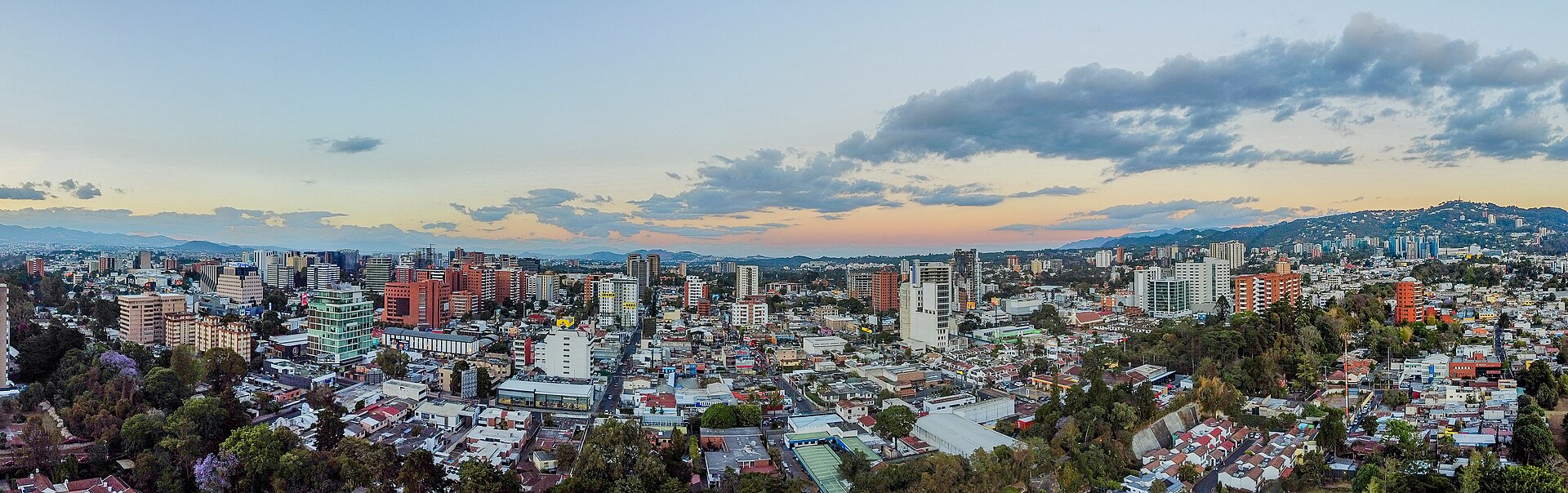
Guatemala City: Score 85 — Premium Fiber
The capital has the best internet infrastructure in Central America. Multiple fiber providers compete aggressively on price and speed.
Best zones for internet:
- Zona 10 (Zona Viva): Business district. Multiple fiber options, coworking spaces everywhere. 100-500 Mbps easily available. Claro 5G coverage.
- Zona 14: Upscale residential. Full fiber coverage from both Tigo and Claro.
- Zona 15 (Vista Hermosa): Residential, well-connected. Good fiber options.
- Zona 16 (Cayala): Modern development. Fiber built into the infrastructure.
Setup recommendation: Claro or Tigo 200 Mbps fiber (~$33/mo) + your own WiFi router + Tigo prepaid SIM as mobile backup. Total: ~$45/month for excellent connectivity.
Antigua Guatemala (Sacatepequez): Score 65 — Fiber Available
Antigua has seen massive infrastructure investment thanks to the expat and tourist economy. Tigo fiber is available in most of the central town, with cable extending into surrounding neighborhoods.
What to expect:
- Central Antigua: Tigo fiber, 50-150 Mbps realistic
- Surrounding areas (Jocotenango, San Antonio, Ciudad Vieja): Cable/HFC, 30-80 Mbps
- Many cafes and coworking spaces: 50-80 Mbps
Coworking spaces worth checking: Antigua has several coworking spaces catering to remote workers. Most offer 50+ Mbps on dedicated business lines. These are a good backup if your home internet goes down, and they’re great for meeting other remote workers.
Setup recommendation: Tigo 150 Mbps fiber (~$30/mo) + own router + prepaid SIM backup. Total: ~$42/month.
Quetzaltenango (Xela): Score 55 — Fiber Expanding
Xela is Guatemala’s second-largest city, and the internet situation is improving rapidly. Fiber is available in the city center and expanding to surrounding colonias. Cable/HFC covers most of the urban area.
What to expect:
- City center: Fiber available, 50-100 Mbps
- Outer areas: Cable, 20-50 Mbps
- Both Tigo and Claro have good coverage
Setup recommendation: Tigo or Claro 120-150 Mbps (~$30/mo) + own router + mobile backup. Total: ~$42/month.
Escuintla: Score 45 — Cable/HFC
Escuintla city has cable infrastructure from both providers. Speeds are moderate — expect 30-80 Mbps on a good connection. Fiber expansion is coming but hasn’t arrived yet for most residential areas.
Lake Atitlan (Solola): Score 30 — Limited Cable + Starlink
This is where it gets tricky. The lake towns are some of the most beautiful places in Guatemala, but the terrestrial internet infrastructure is limited.
By town:
- Panajachel: Best connectivity at the lake. Cable available, some recent fiber expansion. 15-40 Mbps from Tigo/Claro.
- San Pedro La Laguna: Basic cable in the center. 10-25 Mbps. Many places rely on mobile hotspots.
- San Marcos La Laguna: Very limited wired options. Starlink is now the standard for serious internet users.
- Santa Cruz, San Pablo, Jaibalito: Starlink or mobile only.
Setup recommendation: Starlink Residential (~$66/mo) as your primary connection, plus a Tigo prepaid SIM as backup. Total: ~$75/month. It’s more expensive, but it’s the only way to reliably do video calls from lakeside.
Flores / Peten: Score 25 — Wireless + Starlink
Peten is Guatemala’s largest department and its least connected. Flores and Santa Elena have basic mobile coverage and some cable in the town center, but speeds are inconsistent.
What to expect:
- Flores/Santa Elena town: Mobile 4G + limited cable, 10-25 Mbps
- El Remate: Mostly mobile only, some Starlink
- Remote areas toward Tikal: Starlink essential
Setup recommendation: Starlink + Tigo mobile backup. Or accept mobile tethering if you’re only there temporarily.
Rural Highlands (Huehuetenango, Quiche, Alta Verapaz): Score 8-25
These departments are the most challenging for internet access. Department capitals (Huehuetenango city, Santa Cruz del Quiche, Coban) have basic cable or wireless from Tigo/Claro, typically 10-30 Mbps. Outside the capitals, it’s mobile data or Starlink only.
If you’re planning to live in these areas, budget for Starlink from day one.
Remote Work Viability: Can You Do Your Job From Here?
Let’s be practical. Here’s what each region can support:
| Region | Video Calls | Cloud Apps | Large Uploads | Streaming | Overall Rating |
|---|---|---|---|---|---|
| Guatemala City | Excellent | Excellent | Excellent | Excellent | Excellent |
| Antigua | Good-Excellent | Good-Excellent | Good | Excellent | Good |
| Quetzaltenango | Good | Good | Good | Good | Good |
| Escuintla | Fair-Good | Good | Fair | Good | Fair-Good |
| Lake Atitlan (w/ Starlink) | Good | Good | Fair | Good | Good |
| Lake Atitlan (w/o Starlink) | Poor-Fair | Fair | Poor | Fair | Fair |
| Flores (w/ Starlink) | Good | Good | Fair | Good | Fair-Good |
| Rural areas (w/ Starlink) | Good | Good | Fair | Good | Fair |
| Rural areas (w/o Starlink) | Poor | Poor-Fair | Poor | Poor-Fair | Poor |
The takeaway: Guatemala City and Antigua are as good as most mid-tier US cities for remote work. Anywhere else, plan for Starlink.
Minimum Requirements for Remote Work
Based on my experience and what I hear from other remote workers here:
- Video calls (Zoom, Meet): 10 Mbps down / 5 Mbps up minimum. 25+ Mbps is comfortable.
- Cloud apps (Google Workspace, Slack, Notion): 5 Mbps is fine. Low latency matters more than raw speed.
- Large file uploads (design files, video editing): 20+ Mbps upload helps. This is where cable and some Starlink connections struggle.
- VPN usage: Adds 10-20% overhead. Factor this into your speed calculations.
Power Outages: The Hidden Problem
Internet speed means nothing if your power is out. Guatemala experiences regular power outages — short ones (seconds to minutes) from grid fluctuations, and occasional longer ones (hours) during storms or infrastructure work.
Solution: Buy a UPS (Uninterruptible Power Supply). A basic UPS costs Q300-600 ($40-80) and will keep your router and laptop running through brief outages. For longer outages, a UPS gives you 20-45 minutes of runtime – enough to save your work and notify clients. If you are considering solar backup, our solar equipment import guide covers how to bring panels and inverters into the country.
I consider a UPS non-negotiable equipment for any remote worker in Guatemala. Plug your router, modem, and Starlink dish (if applicable) into the UPS. Your laptop has its own battery, so it’s already covered.
Mobile Data Guide for Travelers and Nomads
If you’re visiting Guatemala or moving around frequently, mobile data is your best friend. Here’s the practical guide.
Getting a SIM Card
Walk into any Tigo or Claro store. You need:
- Your passport
- Q20-50 ($2.60-6.50) for the SIM card
- Cash for your first data package
The process takes about 15 minutes. Staff speak limited English outside Guatemala City, so basic Spanish helps. Most convenience stores (tiendas) also sell SIM cards and data recharges.
Best Prepaid Data Packages
For short stays (1-2 weeks):
- Claro 4 GB / 7 days: Q30 (~$3.90) — enough for maps, messaging, and light browsing
- Tigo 5 GB / 15 days: Q50 (~$6.45) — better value if staying longer
For a month:
- Tigo 9 GB / 30 days: Q75 (~$9.68) — good for moderate use
- Claro 17 GB / 30 days: Q50-65 (~$6.50-8.40) — best GB per dollar
- Tigo 17 GB / 30 days: Q150 (~$19.35) — more expensive but better coverage
For heavy users (tethering for work):
- Claro 70 GB / 30 days: Q150-175 (~$19-23) — the most data for the money
Mobile Tethering: The Honest Truth
Using your phone as a WiFi hotspot works, but there are limitations:
- Speed: 4G LTE gives you 10-30 Mbps in urban areas, 3-15 Mbps in towns, and 1-5 Mbps in rural areas. This is enough for email and cloud apps, but video calls will be choppy.
- Data consumption: A one-hour Zoom call uses about 1-1.5 GB. A 10 GB plan gives you roughly 7-10 hours of video calls.
- “Unlimited social media” packages don’t work when tethering. The free WhatsApp, Facebook, and Instagram data that come with many plans only work on the phone itself, not through hotspot.
- Latency: Mobile latency (40-80ms) is higher than fiber (5-15ms) but lower than Starlink (30-60ms).
Which Carrier to Choose?
Tigo if you’re traveling around the country. Their coverage in rural areas and along highways is noticeably better than Claro. You’re more likely to have signal in small towns and mountain areas.
Claro if you’re staying in urban areas. Their speeds in cities tend to be slightly faster, and their data packages offer more GB per quetzal.
My recommendation: Get a Tigo SIM as your primary and a Claro SIM as a backup. A second SIM costs Q20 and could save you during a coverage dead spot. Most modern phones are dual-SIM or eSIM compatible.
Money-Saving Tips
After years of dealing with Guatemalan ISPs, here are the tricks I’ve learned:
1. Negotiate Your Plan
Both Tigo and Claro have retention departments. If you call to cancel (or threaten to switch to the other provider), they’ll almost always offer you a discount or a speed upgrade at the same price. This works best after your initial contract period ends.
I’ve personally gotten a 200 Mbps plan at the 150 Mbps price just by mentioning that Claro offered me a better deal. They matched it in five minutes.
2. Skip the TV Bundle Unless You Actually Watch TV
The internet-only plans from both providers are cheaper. Don’t pay for 200 channels you won’t watch just because the sales rep pushes the “triple play” package. Streaming services and a good internet connection are all most expats need.
3. Share Internet With Neighbors
Not officially sanctioned by ISPs, but extremely common in Guatemala. A 500 Mbps fiber connection split between two or three apartments is still 150+ Mbps each — more than enough — and cuts your cost to $15-20 per household. A decent WiFi router with a strong signal makes this easy.
4. Use Tigo Money or Claro Pay for Prepaid Top-ups
You can recharge your prepaid mobile data through the Tigo Money or Claro Pay apps without visiting a store. Some promotions are app-only and offer bonus data.
5. Check for Building-Specific Deals
Some apartment buildings and condominiums have negotiated bulk rates with ISPs. Ask your landlord before signing up independently — you might get a better price through the building’s arrangement.
Router and Setup Recommendations
This is the single most impactful upgrade you can make to your internet experience in Guatemala. I’ve helped dozens of friends and expats set up their connections, and the story is always the same: “My internet is terrible.” I visit, replace the ISP router with a proper one, and suddenly everything works.
Why ISP Routers Are Bad
Tigo and Claro provide the cheapest possible routers. They typically have:
- Weak WiFi antennas (signal drops through one wall)
- Outdated WiFi standards (often WiFi 5 or even WiFi 4)
- Poor heat management (they throttle when hot, which happens daily in Guatemala’s climate)
- No mesh capability
- Limited device handling (start dropping connections at 10+ devices)
What to Buy Instead
| Router | Price Range | Best For |
|---|---|---|
| TP-Link Archer AX55 | Q800-1,200 ($100-155) | Most apartments, WiFi 6 |
| ASUS RT-AX58U | Q1,000-1,500 ($130-195) | Larger spaces, gaming |
| TP-Link Deco M5 (2-pack mesh) | Q1,200-1,800 ($155-230) | Houses, multiple floors |
| Ubiquiti UniFi AP | Q800-1,200 ($100-155) | Tech-savvy users, best performance |
We recommend the TP-Link Archer AX55 or similar WiFi 6 router for most apartments — it handles Guatemala’s climate well and covers a typical 2-bedroom layout without issues.
You can buy these at MaxMall, iShop, or order through Amazon with a courier service (like Aeropost or CargaExpress). Local electronics stores in Zona 10 and Zona 4 also carry networking equipment.
Setup Steps
- Get your ISP installed normally. Let Tigo or Claro do their installation with their router.
- Put the ISP router in bridge mode (or ask the technician to do it during installation — they know how). This turns their router into just a modem, passing the internet connection to your own router.
- Connect your own router to the ISP’s device via ethernet cable.
- Set up your WiFi network with a strong password and WPA3 if your devices support it.
If you’re not comfortable with bridge mode, you can simply connect your router to the ISP router. You’ll be “double-NATed” which sounds bad but is perfectly fine for web browsing, video calls, and streaming. Only matters if you’re hosting game servers or need port forwarding.
Essential Accessories
- UPS (Uninterruptible Power Supply): Q300-600 ($40-80). Non-negotiable. Protects against power outages and voltage spikes.
- Surge protector: Q100-200 ($13-26). Guatemala’s electrical grid has voltage fluctuations. A surge protector saves your equipment.
- Ethernet cable (Cat 6, 5-10 meters): Q50-100 ($6-13). For your primary work computer. WiFi is convenient; ethernet is reliable.
- Long ethernet cable or powerline adapter: If your router is in the living room and your office is in the bedroom, run ethernet or use a powerline adapter rather than relying on WiFi through walls.
Frequently Asked Questions
Can I work remotely from Guatemala with US clients?
Yes – this is what I do. Guatemala is in the US Central timezone (CST/CDT), which means you’re aligned with Chicago, Dallas, and Mexico City. You’re only 1-2 hours off from the East and West coasts. Combine this with fiber internet in Guatemala City or Antigua, and there’s zero practical difference from working in a US city. Hundreds of remote workers do this already – our digital nomad guide covers the full setup, from visas to coworking spaces.
How reliable is Starlink during the rainy season?
Guatemala’s rainy season runs roughly May through October. Starlink handles rain well — light to moderate rain has no noticeable impact. Heavy tropical downpours can cause brief dropouts lasting a few seconds to a minute. In my experience and from talking to Starlink users at the lake, it’s reliable enough for daily remote work. Keep a mobile hotspot as backup for those rare heavy storm moments.
Should I sign a long-term contract with Tigo or Claro?
Long-term contracts (12-18 months) typically get you a waived installation fee and sometimes a promotional rate. If you’re planning to stay in one place for at least a year, the contract makes financial sense. Just make sure you understand the early termination fee (usually 3-6 months of remaining payments). If you’re unsure about your plans, Starlink’s month-to-month model is more flexible.
Is it possible to get internet installed in a week?
In Guatemala City: usually yes. Tigo and Claro can typically schedule installation within 3-7 days. In Antigua: 5-10 days. In smaller cities: 1-3 weeks. For Starlink: you order the kit online, it ships to Guatemala in 1-2 weeks, and you self-install in about 30 minutes. If you need internet immediately upon arrival, buy a prepaid SIM and tether from your phone while waiting for installation.
What speeds do coworking spaces offer?
Coworking spaces in Guatemala City and Antigua typically have business-grade connections: 50-150 Mbps on dedicated lines. Some of the better ones have redundant connections (fiber + backup) so they stay online even during outages. Expect to pay Q500-1,500 ($65-195) per month for a dedicated desk, which includes high-speed internet, coffee, and air conditioning. Day passes run Q50-100 ($6-13).
Can I bring my own Starlink dish from the US?
Starlink dishes are region-locked. A dish purchased in the US won’t work in Guatemala without transferring your account to the Guatemala service area through the Starlink app. The better approach is to order directly to Guatemala through the Starlink website. Availability and pricing are set per country, and Guatemala is fully supported as of 2026.
What about fiber optic in Antigua — is it real fiber or just marketing?
Tigo has deployed genuine FTTH (Fiber to the Home) in central Antigua. You can verify this during installation — if the technician runs a thin fiber-optic cable (not a coaxial cable) from the street to your apartment, you have real fiber. Some surrounding areas still use HFC cable, which Tigo sometimes markets ambiguously. Ask specifically for “fibra optica” when signing up and confirm the cable type.
Do I need a VPN?
For security on public WiFi (cafes, coworking spaces): yes, always use a VPN. For accessing US streaming services: it depends. Most services work fine from Guatemala, but some content libraries are different. A VPN lets you access the US library. For work: many companies require VPN connection to their network regardless of your location. Just factor in the 10-20% speed overhead.
If you need a recommendation, NordVPN has servers in nearby countries (Mexico, Costa Rica) that give good speeds from Guatemala, and it handles US banking sites and streaming services without issues.
Check Internet Scores on Our Interactive Map
Every region, department, and municipality in Guatemala has an internet score on our interactive relocation map. The map shows color-coded internet quality, ISP tier recommendations, and specific provider information for each location.
Planning your move? Start by exploring the areas you’re considering on the map. Filter by internet score to see which regions meet your connectivity needs before you visit. Also check our cost of living guide to see how internet fits into your monthly budget, and the best neighborhoods for remote workers for location recommendations.
Have questions about internet in a specific town or neighborhood? Drop us a line — I’ve probably either lived there or know someone who has.
![Remote Work from Guatemala: $800/mo + US Timezone [2026 Guide]](/images/photos/antigua-street-scene-2020.jpg)